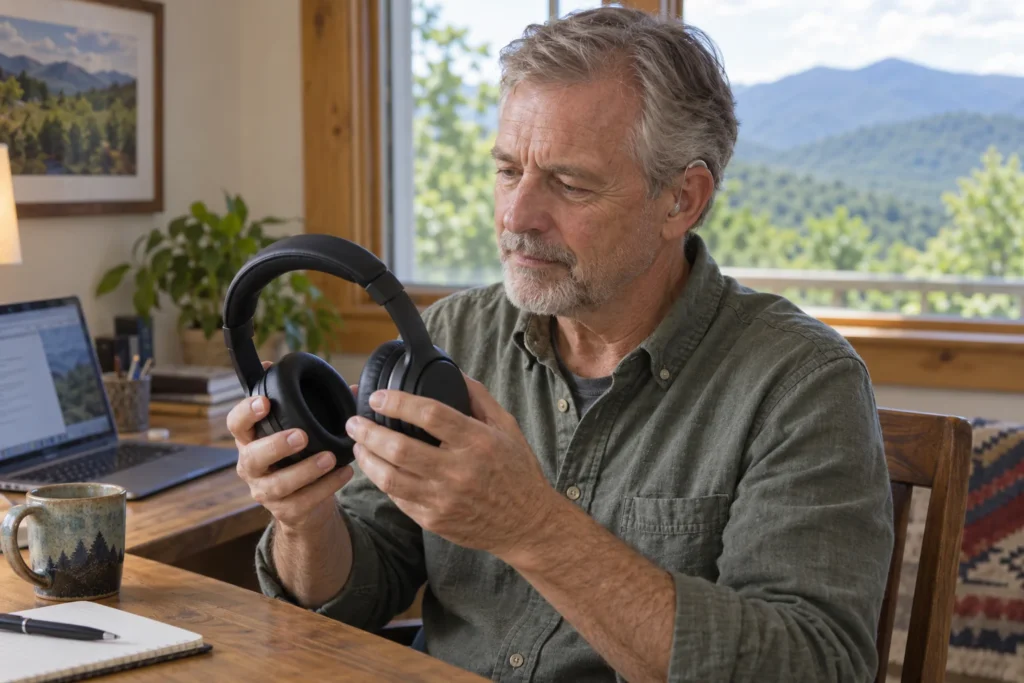
You may be able to wear headphones with hearing aids, but physical fit and sound need to be tested together. An over-ear cup must leave room for your devices without pressing on them, and the setup must deliver useful sound without persistent whistling. Direct streaming to compatible hearing aids is another option, especially for calls and spoken audio.
Start with the job you need done. Listening to an audiobook, joining a work call, and enjoying an album are different tests. The most expensive headphones are not automatically the most suitable, and a Bluetooth label alone does not establish compatibility with hearing aids.
Choose between two routes
| Route | What you need to check | Useful trial |
|---|---|---|
| Headphones worn over hearing aids | Space inside the cups, pressure, whistling, and sound | Wear your own devices and glasses during a returnable trial |
| Audio streamed into hearing aids | Exact hearing aid, phone or computer, operating system, and any adapter | Play audio and make a call on the actual device you use |
Neither route is automatically better for everyone. Streaming can avoid a physical headset, while a comfortable headset may fit an existing work setup. The decision should be based on what works through a real listening session, including how easily you start and stop it.
Check the fit before judging the sound
With the audio off, put the headphones on gently. Notice whether the cup or cushion presses on the hearing aid case. If you wear glasses, include them in this check. A setup that feels comfortable without your everyday frames may behave differently once the frame arms share that space.
Turn your head, look down, and speak a few sentences. Stop if the headphones dislodge a device or cause pain. Do not force an earbud into an ear canal already occupied by a hearing aid or dome. If you are unsure whether your hearing aid style can be used with a headset, ask your hearing care professional before experimenting.
Pay attention to the removal step as well. Can you lift off the headphones without catching a wire or pulling out a hearing aid? That small detail matters if you answer frequent interruptions during a workday.
Use familiar audio at a comfortable level
Try a voice you know, followed by a familiar recording. Begin at a low level and adjust cautiously. Do not compensate for poor clarity by repeatedly increasing the volume. If sound is uncomfortable, distorted, or accompanied by persistent feedback, stop the trial and have the setup checked.
Write down separate impressions for comfort and clarity. “Comfortable, but speech is hard to follow” points to a different issue from “clear sound, but pressure after ten minutes.” Keeping those observations separate makes the next conversation more useful.
A suggested comparison is to use the same short recording with headphones and, if available, direct streaming. Keep the listening environment similar and avoid treating louder sound as proof of better sound. This is a practical comparison, not a clinical hearing test.
Streaming depends on the whole connection
Oticon’s connection guidance illustrates why model details matter: different hearing aid and source-device combinations can use different streaming technologies or require an accessory. Do not assume that instructions for one product family apply to another.
Bring the exact phone or laptop model, operating system, and hearing aid model to the discussion. If you already use a work headset, note whether your employer requires a particular microphone or connection. Check before purchasing an adapter, because a generic USB Bluetooth adapter is not a universal hearing aid solution.
For calls, test the microphone too
Hearing the other person is only half the task. Make a test call with someone who can tell you whether your voice is clear. Check which microphone the call software is using. The microphone may be on a laptop, phone, hearing aid, or accessory, depending on the setup.
Try the ordinary actions that can reveal a frustrating connection: accept a call, mute and unmute, stop music, and return to the meeting. If you change rooms during calls, test that routine safely too. Record what failed rather than buying another accessory without understanding the first problem.
A short purchase checklist
- Can I return the headphones if they do not fit with my hearing aids?
- Do the cups leave room for the hearing aid and glasses?
- Can I follow speech at a comfortable listening level?
- Can the other person hear me clearly on a call?
- Does the setup reconnect without a complicated routine?
For television specifically, use our TV streamer guide. For a broader overview of connection options, see assistive listening devices and connected hearing.
Bring the listening problem, not just a shopping list
The Hearing Guy helps people in Asheville and Hendersonville work through hearing aid and accessory questions. Our independent practice includes Dr. Brent Steele, MD, BC-HIS. Request a visit with your hearing aids and details of the headphones or source device you want to use.
Source checked October 2026: Oticon, listening to music and connecting compatible devices. The comparison checklist is an educational planning aid, not a universal compatibility claim.